By the end of this page, you'll have a Character Cursor cycling through custom characters as visitors move their mouse.
Applies to Ultimate Cursor Pro 2.0.0+.
What it does
Character Cursor renders a sequence of characters (letters, symbols, or short strings) that appear near the pointer as it moves — useful for playful branding or drawing attention to interactive elements. The effect is free with its default style; choosing your own characters, colors, delay and speed is PRO.
Fields
Choose Animated under General Settings → Select Cursor Type, then pick Character Cursor as the effect.
| Field | Type | Notes |
|---|---|---|
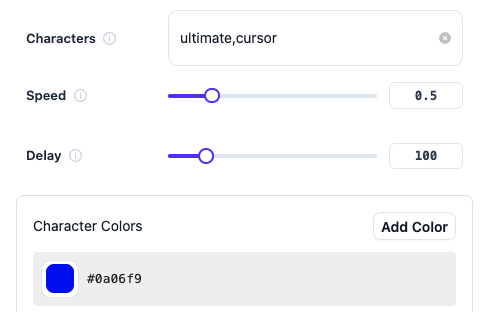
characters | text list | the characters/strings to cycle through |
charactersColors | color list | one color per character, in order |
delay | number | delay between character changes |
speed | number | movement speed following the pointer |
Save & preview
Save your changes and move your mouse over the live preview pane. If characters overlap or render too densely, reduce speed or increase delay slightly.