By the end of this page, you'll have more than one cursor or background configuration running, each scoped to different pages.
Applies to Ultimate Cursor Pro 2.0.0+.
What unlocks
PRO On the free plan, you get exactly one cursor configuration and one background configuration. Pro unlocks enableMultipleCursors/enableMultipleBackgrounds, letting you save as many as you need — for example, a different cursor for your shop pages than your blog.
Setting up multiple configurations
- Toggle Enable Multiple Cursors (or Enable Multiple Backgrounds) on.
- Click Add Configuration to create a new one alongside your existing default.
- Name each one clearly (see General Settings) so you can tell them apart in the list.
- Give each a scope — see Targeting & Conditional Logic — so they don't all try to apply everywhere at once.
Priority when configs overlap
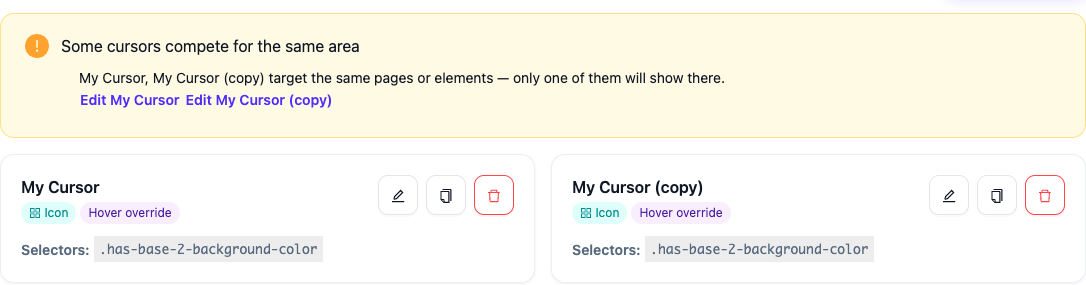
If two configurations could both match the same page, page-specific scope wins over website-wide scope, and both win over element-specific scoping (which layers independently rather than competing for the "main" cursor slot). Only one cursor is ever the main, page-level cursor at a time.
Ultimate Cursor warns you directly in the dashboard when two configurations target the same area: